Bluetooth & USB
Connect to supported radios using the interface available for your model and Android device.
Field Programmer gives radio operators a portable way to organize channels, adjust supported settings, and program compatible handhelds—without carrying a laptop.
Built for amateur radio operators, volunteer communicators, and radio enthusiasts.
Build and maintain a useful codeplug from an Android device, with a workflow designed around real radios and real field conditions.
Connect to supported radios using the interface available for your model and Android device.
Edit frequencies, names, tones, offsets, power, and other model-supported channel options.
Select several channels at once and drag them into a cleaner, more useful operating order.
Move channel plans with CSV files for easier backup, editing, and reuse.
Core radio programming stays available when cell service and Wi-Fi are not.
The app shows relevant options for the connected radio instead of a one-size-fits-all screen.
Read a radio, see the complete channel plan at a glance, and make changes from a clean interface designed for a phone—not a desktop squeezed onto one.
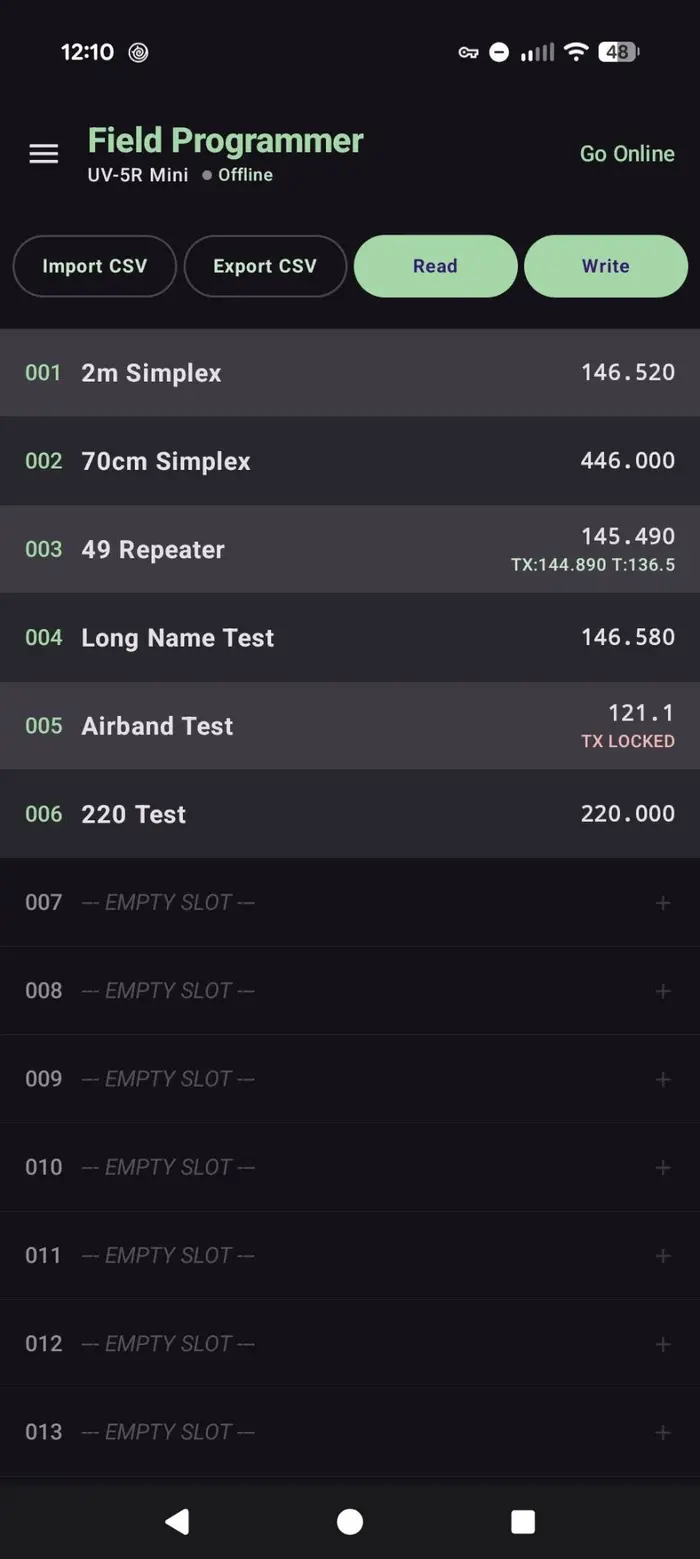
Program popular handhelds from Baofeng and compatible brands using the same familiar Field Programmer workflow.
Available settings and connection methods vary by radio model and Android device. More radios are being added as support is validated.
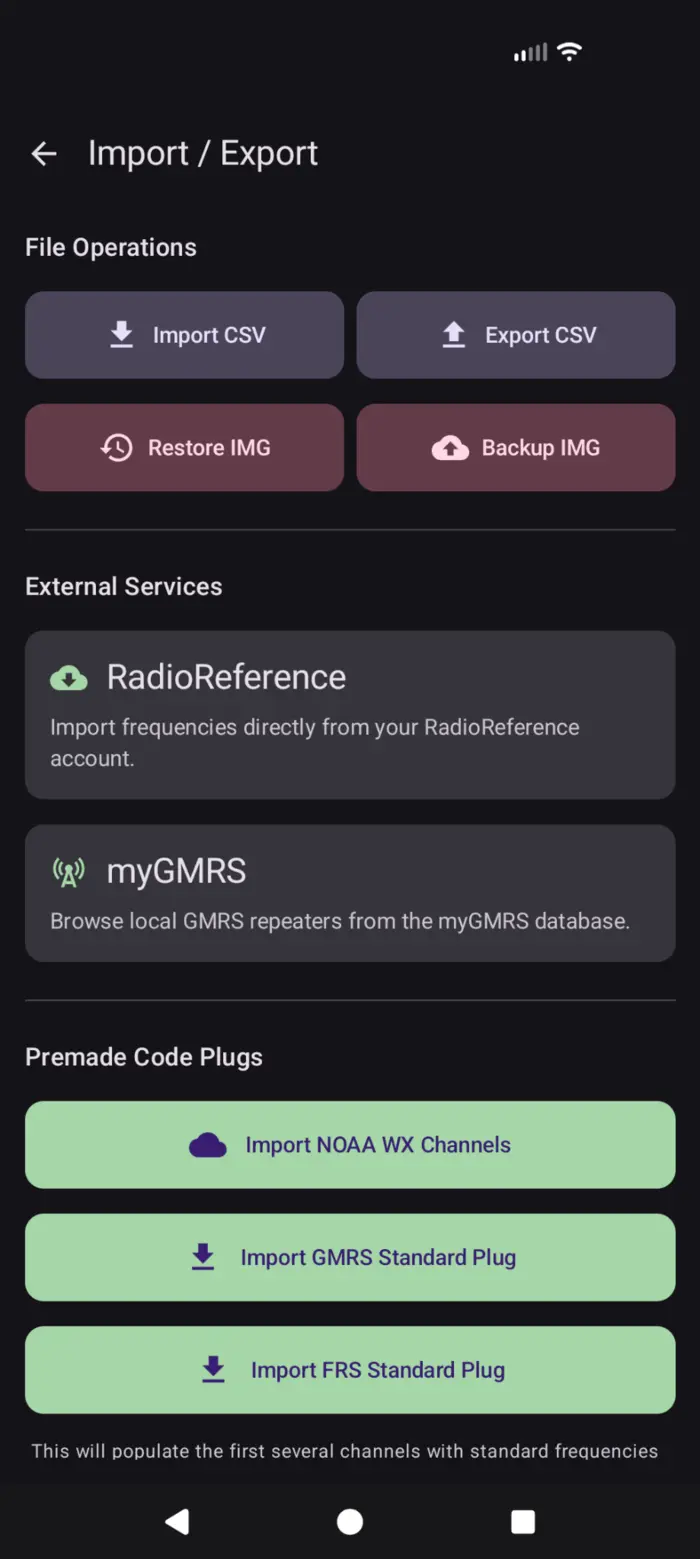
Start with your own spreadsheet, pull in frequencies from trusted radio directories, or load common channels with a tap.
Field Programmer keeps the process understandable while protecting the radio image you started with.
Choose a supported radio and connect by Bluetooth or a compatible USB programming cable.
Load the radio, organize channels, and change the settings you need.
Confirm the changes, then write the updated configuration back to the radio.
Download Field Programmer from Google Play and build, organize, import, and write channel plans directly from your Android device.
Opens the official Google Play listing
Core programming data is stored locally on your device. Field Programmer does not require an account for normal radio programming, and you control when diagnostic information is shared.
Field Programmer is available now on Google Play. Radio features and connection methods vary by model and Android device.